docfx for GitHub Pages
Deploy beautiful API reference to GitHub Pages with only 1 action. No unnecessary file upload and complicated docfx setup.
- ✅ No
.json,.ymland.csprojFiles Required - ✅ Automatic HeaderDoc & TOC Generator
- ✅ Unity Project & Editor Extension Supported
| Light Theme | Dark Theme |
|---|---|
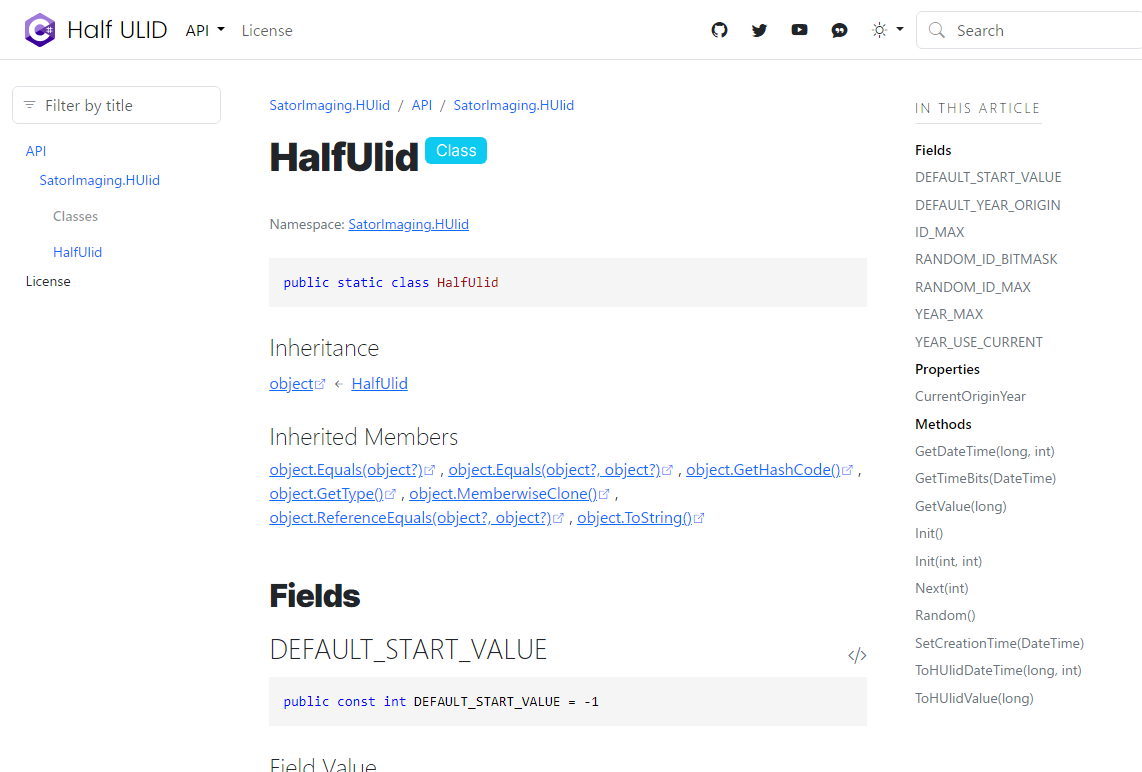 |
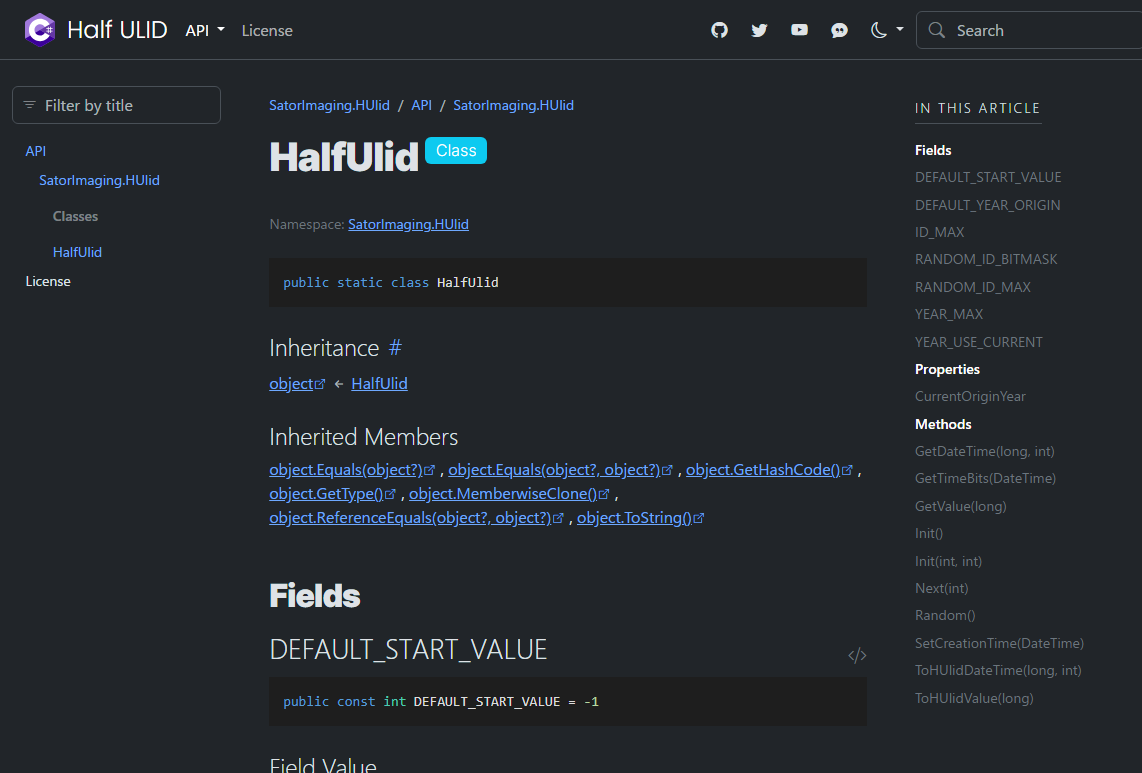 |
HeaderDoc Extraction
docfx-pages provides feature to convert block comment at the beginning of source code to Markdown document. Those documents are automatically included into the generated API reference site.
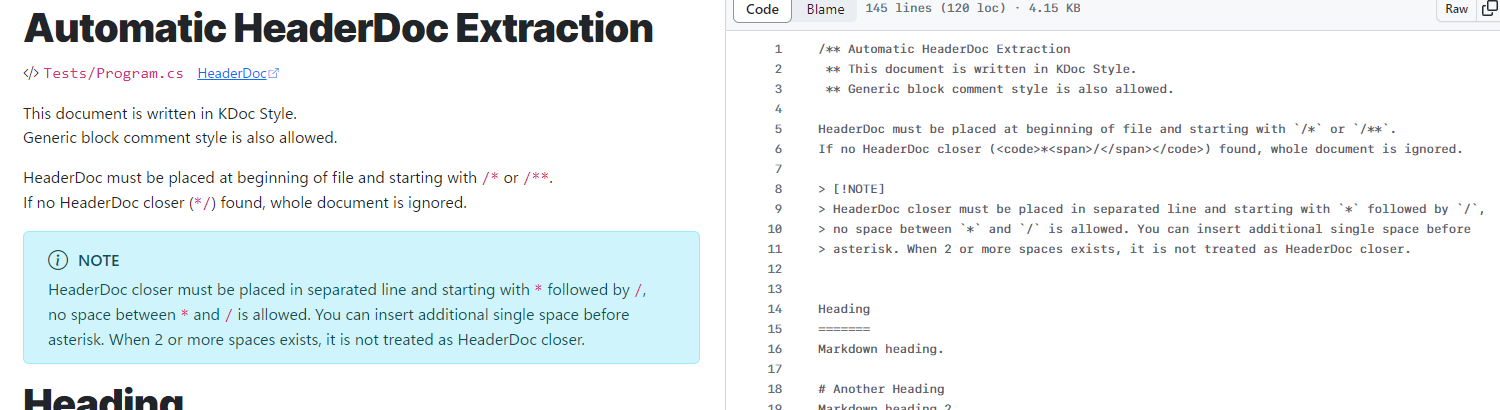
* When project contains only a single script, HeaderDoc won't be extracted.
Usage
- uses: sator-imaging/docfx-pages@v1
id: deployment # required to show url in actions result page.
with:
# required parameters
app_name: 'docfx-pages'
site_title: 'Deploy using sator-imaging/docfx-pages'
site_footer: 'Copyright © <em><big>HTML</big> Tags</em>'
# optional parameters
class_members: ...
Sample Outputs
HeaderDocPage- Built with
class_members: 'separatePages'→ Go 🧾 - Built with
class_members: 'samePage'→ Go 🧾- Note: this sample demonstrates wrong result when specify
site_logoorsite_favidonas full-qualified URL. (Logo image in header is missing.docfxsupports only relative path.)
- Note: this sample demonstrates wrong result when specify
Getting Started
Just enable GitHub Pages in repository setting and paste the code below.
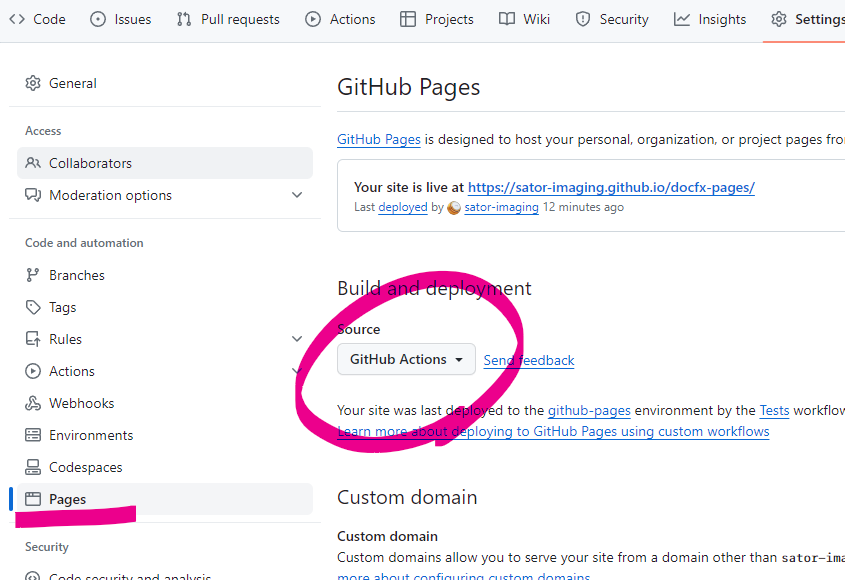
GitHub Actions Source Code
Tip
👇 Here is boilerplate-included sample code for GitHub Pages by Actions.
name: docfx for GitHub Pages
on:
# Runs on pushes targeting the default branch
push:
branches:
- 'main'
##- 'releases/**'
release:
types: [published]
# Allows you to run this workflow manually from the Actions tab
workflow_dispatch:
# Sets permissions of the GITHUB_TOKEN to allow deployment to GitHub Pages
permissions:
contents: read
pages: write
id-token: write
# Allow only one concurrent deployment, skipping runs queued between the run in-progress and latest queued.
# However, do NOT cancel in-progress runs as we want to allow these production deployments to complete.
concurrency:
group: "pages"
cancel-in-progress: false
jobs:
# Single deploy job since we're just deploying
deploy:
environment:
name: github-pages
url: ${{ steps.deployment.outputs.page_url }}
runs-on: ubuntu-latest
#########################################
###### sator-imaging/docfx-pages ######
#########################################
steps:
# for extensibility, docfx-pages does NOT checkout your repository.
# so you need to checkout manually prior to sator-imaging/docfx-pages.
- name: Checkout
uses: actions/checkout@v4
# after checkout, you can checkout another repo, copy logo image or
# other assets into '.docfx' folder to setup your own docfx environment.
# note that images must be copied into '.docfx/images', 'images' or '.images'.
###### main ######
- uses: sator-imaging/docfx-pages@v1
id: deployment # required to show url in actions result page.
with:
# required options
# NOTE: double-quote (") cannot be used, backquote (`) must be escaped (\`).
app_name: 'Deploy Test'
site_title: 'Deploy Test using sator-imaging/docfx-pages'
site_footer: '<big>× Is HTML accepted?</big>'
# optional
class_members: 'separatePages' # 'separatePages' or 'samePage'
google_analytics: '' # empty to disable
define_symbols: '' # additional preprocessor symbols separated by ';'
# paths must be relative from .docfx folder. default value is used when not set.
# note that url works but only in top page. see sample website for detail.
###site_logo: '<logo>.svg'
###site_favicon: '<favicon>.svg'
# advanced options
# --> https://dotnet.github.io/docfx/docs/template.html?tabs=modern#custom-template
# main.js
# NOTE: double-quote (") cannot be used, backquote (`) must be escaped (\`).
main_js: |
export default {
defaultTheme: 'light',
showLightbox: (img) => true,
iconLinks: [
{
icon: 'github',
href: 'https://github.com/sator-imaging',
title: 'GitHub'
},
],
}
# main.css
# NOTE: double-quote (") cannot be used, backquote (`) must be escaped (\`).
main_css: |
Advanced Usage
Full customize can be done by adding .docfx folder to your repository.
For example, add logo image to .docfx/images folder in your repository.
.docfx/images/<your-logo>.svg.docfx/images/<your-favicon>.svgor.ico
then, set options in your GitHub Actions. Note that paths must be relative from .docfx folder.
- uses: sator-imaging/docfx-pages@v1
  with:
    site_logo:    'images/<your-logo>.svg'
    site_favicon: 'images/<your-favicon>.ico'
Note
Default resource folders: .docfx/images, images, or .images
Tip
You can prepare .docfx contents in your GitHub Actions instead of duplicating/uploading files in repository.
Builtin Assets
images/wikimedia-commons/logo-csharp-recolor.svg- C# logo file for
site_logoandsite_favicon 
- C# logo file for
images/unity/made-with-unity.svg- Theme-aware SVG file for
site_logo 
- Theme-aware SVG file for
Technical Notes
toc.ymlis automatically generated.READMEorREADME.mdis generated when doesn't exist.README.mdis used as fallback forindex.md.LICENSEorLICENSE.mddocument title is automatically set. (insert#at the beginning of first line)
Devnote
Tests
Due to GitHub Pages limitation, deploy action must be run on main branch.
Development branch has setted up to invoke main branch action indirectly by updating test tag. To do so, run the following command on dev branch to run tests.
git pull; git tag -f test; git push --tags -f
TODO
- add
docfx_metadata,docfx_buildanddocfx_filteroptions for easy customization.- currently, it can be achieved by adding
.docfxfolder and place files correctly.
- currently, it can be achieved by adding